
MIVI AI Registration
You can use the Mivi AI app only with Mivi AI buds. It cannot be used as an app as such without connecting it to Mivi AI buds. When you download the Mivi AI app for the first time, you need to register to create an account.
How to Register:
Below is the step-by-step process to successfully register on the Mivi AI app on your device.
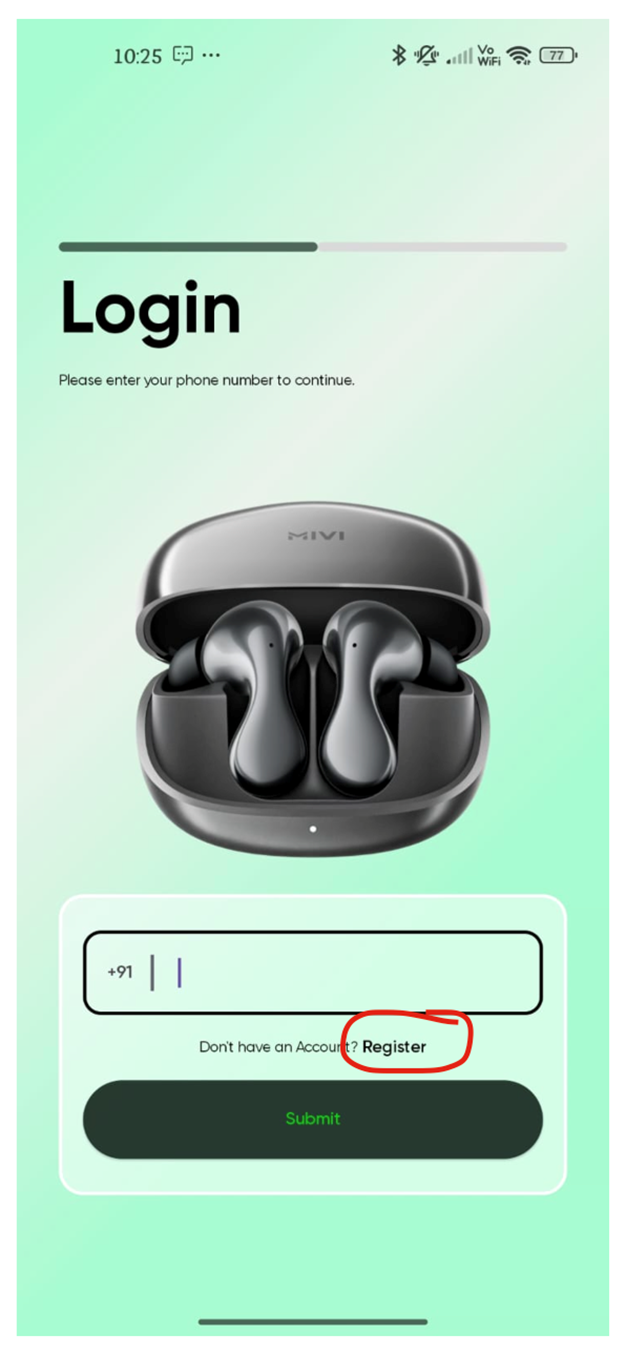
- To register, click on "Register" as shown in the image below.
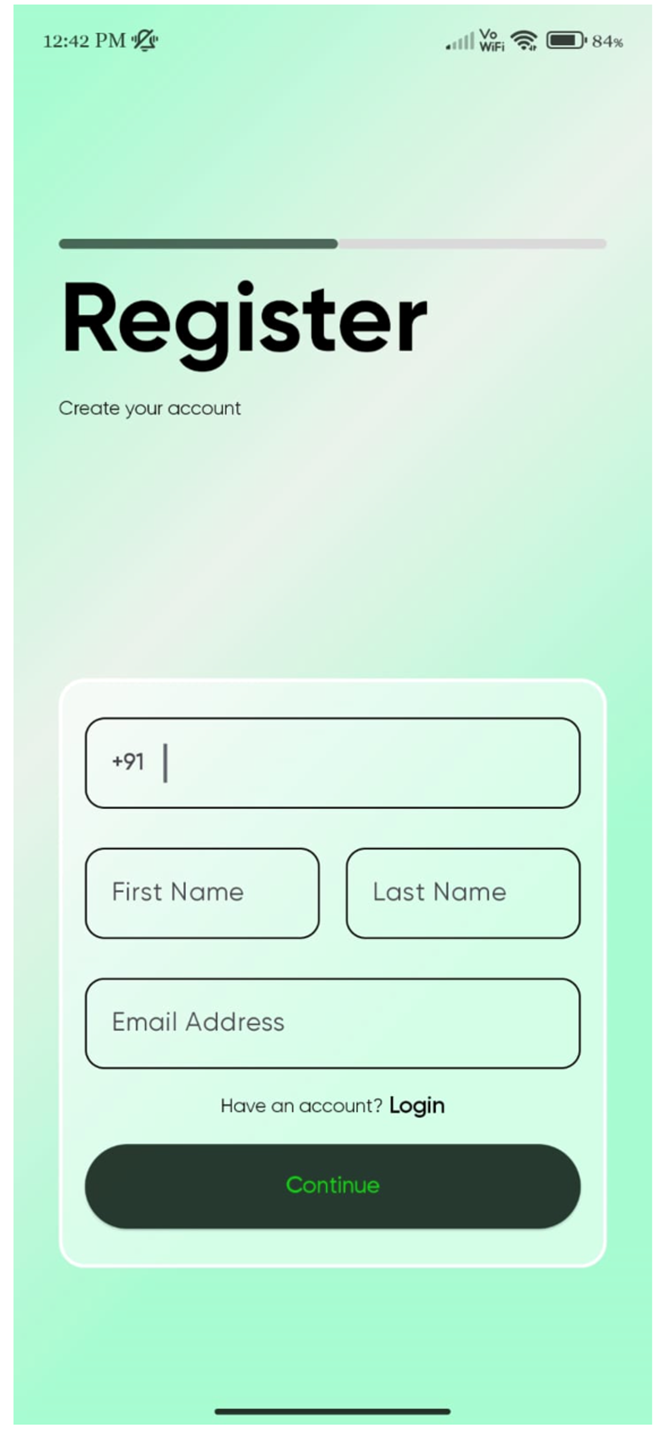
- Enter your first name, last name, email, and 10-digit Indian mobile number, then submit.
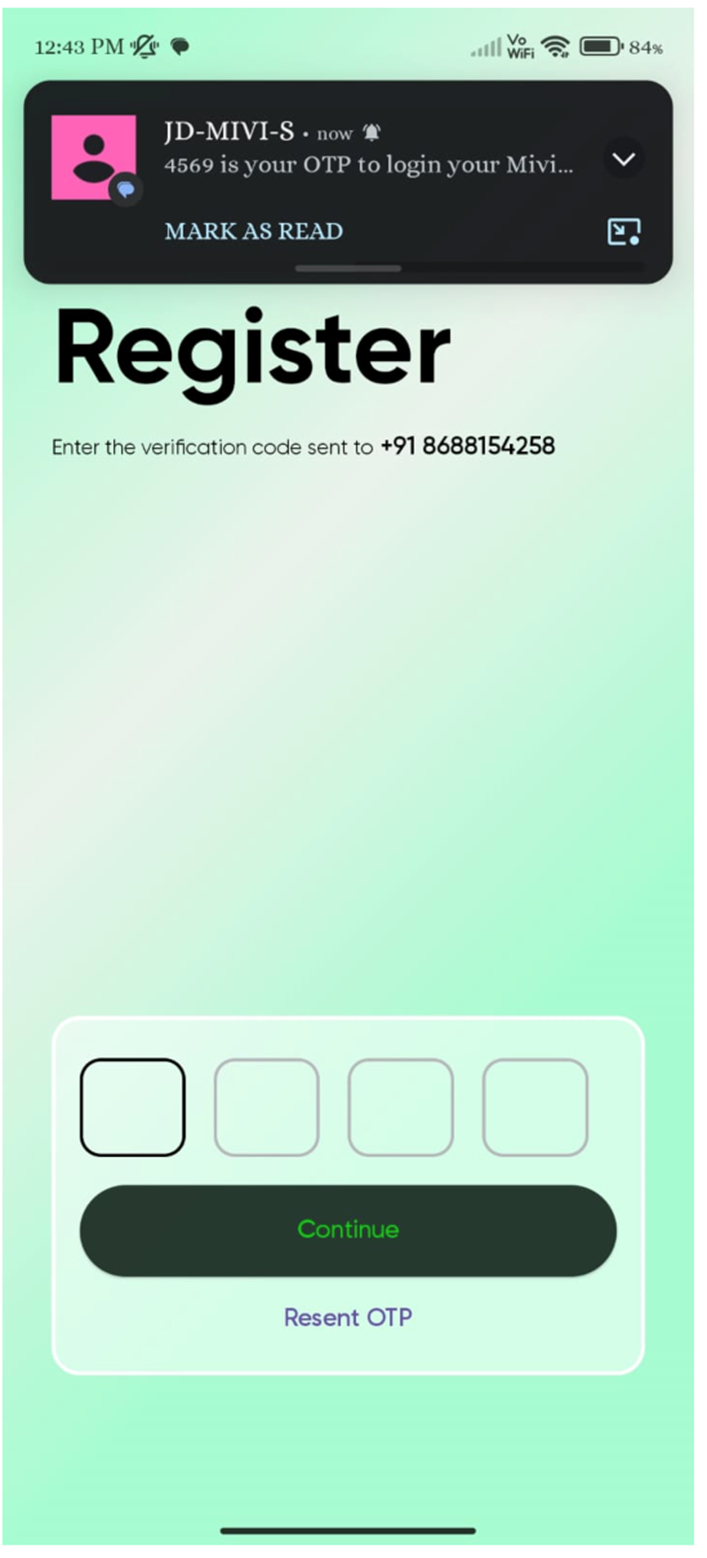
- You will receive an OTP on your mobile to verify. Enter the OTP and click on "Continue".
- After your details are verified, you will be asked to enter the activation code. You will find this activation code inside the product box as soon as you open it and remove the manual. It is a 6-digit alphanumeric code.
While entering the activation code, please distinguish zeros (0) vs O, l vs i, etc., and enter exactly with no spaces.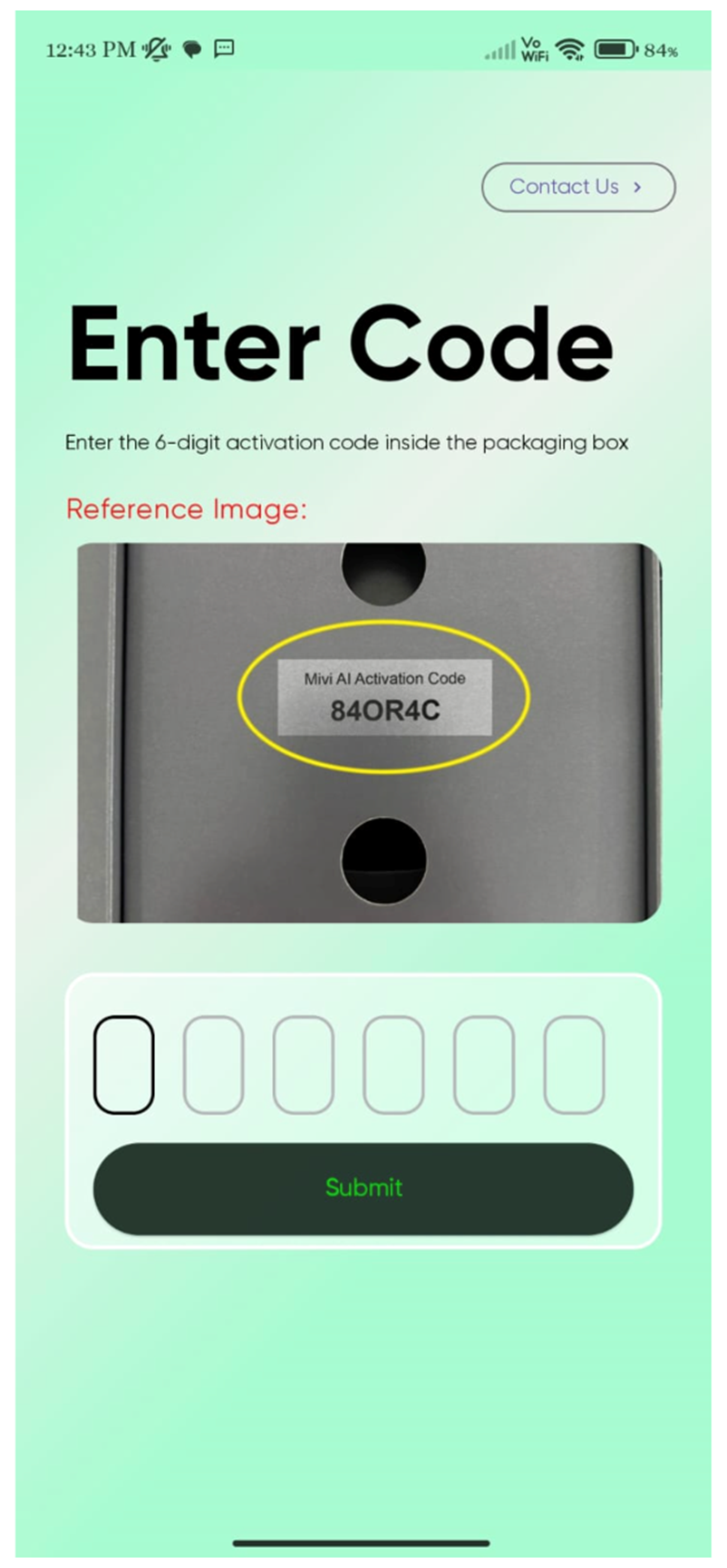
Once this is activated, you are successfully registered as a user for the Mivi AI app and can start using the application by connecting it to your Mivi AI buds.
Note: The activation code is restricted to one per user / per account. Once an activation code is used for registration, it cannot be used to register with any other mobile number or email address.
How to Login:
If you have already registered as a user for the Mivi AI app, you can directly login by entering your mobile number and verifying it with an OTP.
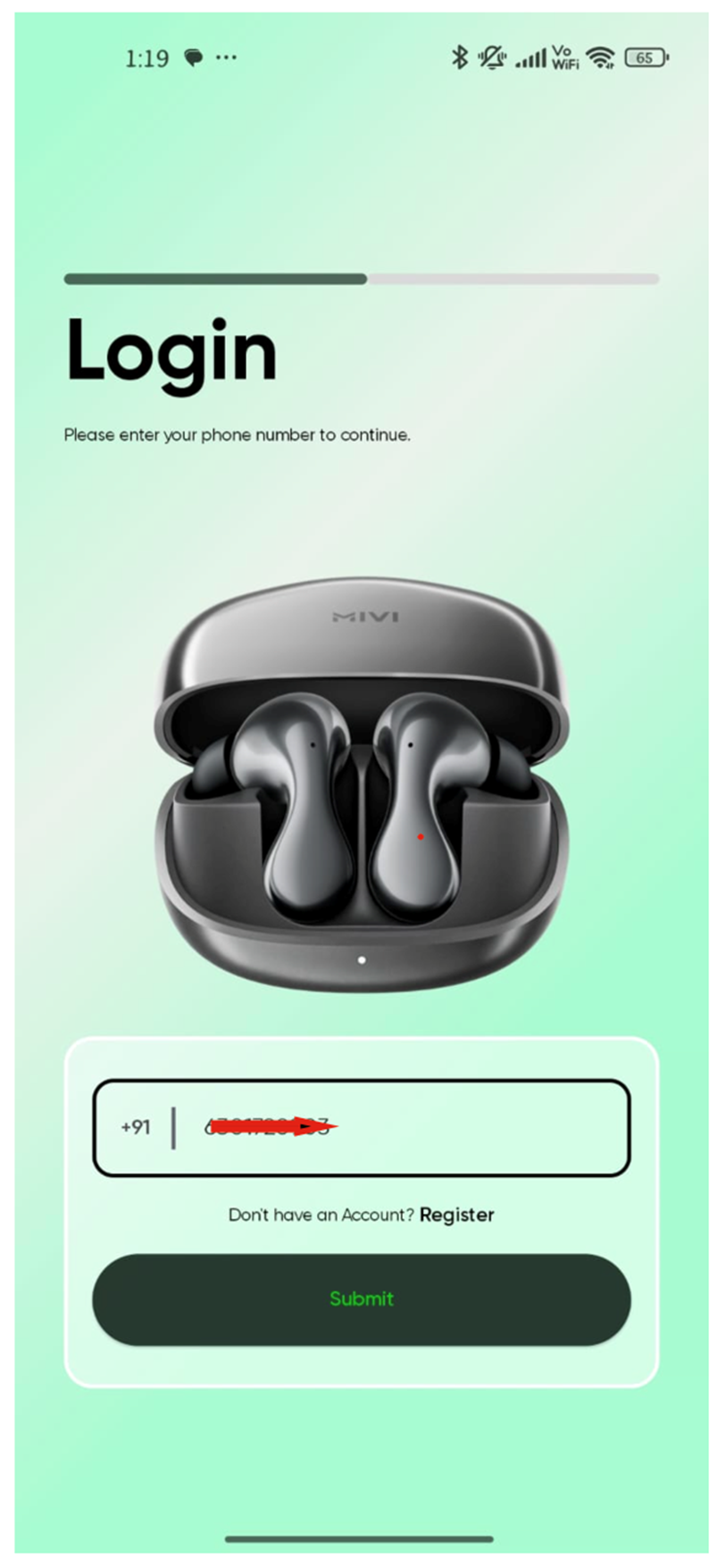
- If you did not receive the OTP, recheck the mobile number and use the login screen to resend the OTP.
- You cannot login if you are using a mobile number which is not registered before as a user on the Mivi AI app.
- You can use the Mivi AI app account on any device by using the registered mobile number to login and connecting it to the Mivi AI Buds.